
How to Take a Visa Photo With Your Phone
How to Take a Visa Photo With Your Phone — सरकारी दूतावास नियमों के अनुसार फोटो बनाएं, रिजेक्शन चेक करें और 300 DPI में डाउनलोड करें।
Comprehensive educational guide for smartphone visa photography. Learn the technical camera settings, focal length selections, and exposure locks needed on iPhone and Android devices to produce high-resolution, distortion-free biometric portraits. [हिन्दी दिशा-निर्देश]: How to Take a Visa Photo With Your Phone के लिए आधिकारिक मानकों के अनुरूप फोटो फ्रेमिंग करें, चेहरे के अनुपात की पुष्टि करें और उच्च रेजोल्यूशन में सीधे डाउनलोड करें।
How to Take a Visa Photo With Your Phone
Camera settings, zoom tricks, and distance rules for iPhone and Android photography.
Step 1: Use the Rear Camera with 2× Telephoto Zoom
Step back to 6 feet and switch to 2× zoom. This flattens the perspective and avoids the "big nose" effect caused by wide-angle phone lenses.
Use 2× zoom from 5–6 feet away to keep facial features geometrically accurate.
Never use the 1× wide lens up close (under 3 feet) or the front selfie camera.
Ready to Create or Check Your Photo?
Apply these guidelines immediately using our automated client-side processing tool.
Top 5 Consular Photo Rules • दूतावास रिजेक्शन से बचने के 5 नियम
फोटो खिंचवाते समय चश्मा उतार दें; लेंस की चमक से बायोमेट्रिक स्कैनर फेल होता है।
मुंह पूरी तरह बंद रखें, दोनों होंठ मिले होने चाहिए और चेहरा न्यूट्रल (शांत) रखें।
दीवार से 1.5 मीटर आगे खड़े हों ताकि सिर या कानों के पीछे परछाई न पड़े।
किसी दूसरे व्यक्ति से आंखों की सीध में 1.5 से 2 मीटर दूरी से फोटो खिंचवाएं।
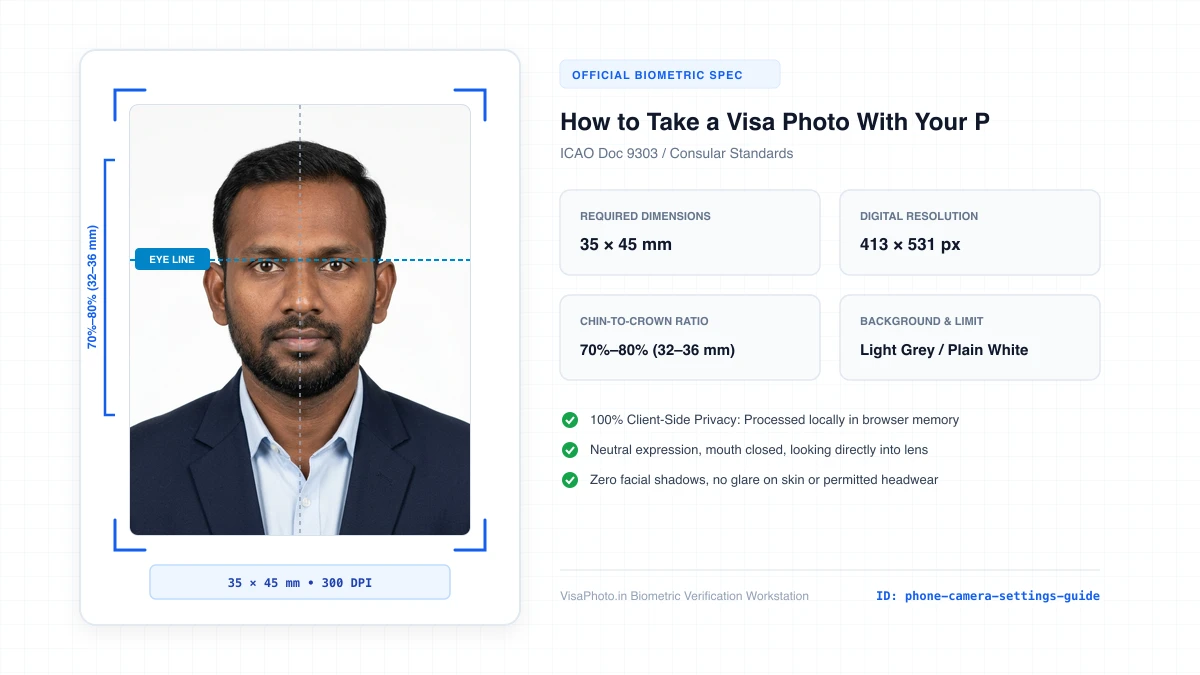
ठुड्डी से सिर तक का हिस्सा सरकारी पैमाने के अनुसार होना अनिवार्य है।
हमारा टूल फोटो को सही पिक्सेल और 300 DPI पर एक्सपोर्ट करता है।
Focal Length Matters: Why 2× Zoom is Essential
जरूरी दिशा-निर्देश व जानकारी
Standard smartphone main camera lenses have an ultra-wide focal length equivalent to 24–26 mm on a full-frame camera. When photographing a person from 2–3 feet away, wide-angle distortion exaggerates the size of the nose and makes the ears recede. Stepping back to 5–6 feet and using the 2× telephoto camera (50 mm equivalent) creates a natural, flat facial perspective required by biometric algorithms.
iPhone & Android Camera Settings Checklist
जरूरी दिशा-निर्देश व जानकारी
- •1. Turn OFF Portrait Mode (Artificial Bokeh): Fake background blur cuts off edges of ears and hair strands, causing instant biometric rejection.
- •2. Turn OFF Beauty / Smoothing Filters: Retouching or skin-smoothing alters facial texture and landmark points.
- •3. Lock Auto-Exposure on Face: Tap and hold on the face to ensure highlights on cheeks and forehead are not blown out.
- •4. Grid Lines ON: Enable the 3×3 grid overlay in camera settings to keep the eye line and shoulders perfectly level.
Avoiding Smartphone Focal Distortion with Optical Zoom
रिजेक्शन की आम गलतियां व समाधान
Never use the front-facing "selfie" camera, which utilizes an ultra-wide angle focal length that distorts facial proportions. Have a family member or friend take your photo using the primary rear camera, stepping back 2 meters and zooming in to 2x optical zoom to maintain realistic cranial proportions.
Visual Biometric Composition & Schematics
बायोमेट्रिक फ्रेमिंग गाइड व तकनीकी निरीक्षण
Phone Camera Focal Length and Perspective Comparison
Comparison of 1x wide distortion vs 2x telephoto natural perspective
Official Government Authority Sources
All requirement specifications are sourced directly from official gazettes and immigration portals.
What How to Take a Visa Photo With Your Phone Can and Cannot Verify
हमारी तकनीकी गारंटी और निष्पक्ष पारदर्शिता
VisaPhoto.in maintains complete transparency. We ensure your photograph matches published mathematical and optical specifications, but we never make false claims of consular authority.
- ✓Exact Dimensions: सटीक साइज (mm, इंच) और 300 DPI रेजोल्यूशन।
- ✓Target File Limit: 240 KB या 300 KB के अंदर सुरक्षित कंप्रेशन।
- ✓Biometric Ratios: चेहरे (70%–80%) और आंखों की बिल्कुल सही सीध।
- ✓Background Uniformity: बैकग्राउंड का सही रंग (सफेद या हल्का ग्रे)।
- !Visa Approvals: वीजा अप्रूवल का अंतिम निर्णय दूतावास के हाथ में होता है।
- !Photo Recency: फोटो 6 महीने से ज्यादा पुरानी नहीं होनी चाहिए।
- !Physical Identity: फोटो में आवेदक की असली पहचान स्पष्ट होनी चाहिए।
Frequently Asked Questions
अक्सर पूछे जाने वाले सवाल व आधिकारिक जवाब
Related Biometric Tools & Compliance Guides
अन्य उपयोगी वीजा टूल्स व देश गाइड