Create your visa photo online.
Create your visa photo online. — सरकारी दूतावास नियमों के अनुसार फोटो बनाएं, रिजेक्शन चेक करें और 300 DPI में डाउनलोड करें।
Transform an ordinary portrait into an official visa photo compliant with your destination country. Select your document type, upload an image, align your head inside the biometric guides, adjust background tones, and download in print or digital format. [हिन्दी दिशा-निर्देश]: घर बैठे अपने मोबाइल से किसी भी देश का वीजा और पासपोर्ट फोटो बनाएं। ऑटोमैटिक क्रॉपिंग, बायोमेट्रिक गाइड्स और 300 DPI डाउनलोड।
Upload your portrait photo
Drag and drop your JPEG or PNG file here, or browse from your device
Top 5 Consular Photo Rules • दूतावास रिजेक्शन से बचने के 5 नियम
फोटो खिंचवाते समय चश्मा उतार दें; लेंस की चमक से बायोमेट्रिक स्कैनर फेल होता है।
मुंह पूरी तरह बंद रखें, दोनों होंठ मिले होने चाहिए और चेहरा न्यूट्रल (शांत) रखें।
दीवार से 1.5 मीटर आगे खड़े हों ताकि सिर या कानों के पीछे परछाई न पड़े।
किसी दूसरे व्यक्ति से आंखों की सीध में 1.5 से 2 मीटर दूरी से फोटो खिंचवाएं।
ठुड्डी से सिर तक का हिस्सा सरकारी पैमाने के अनुसार होना अनिवार्य है।
हमारा टूल फोटो को सही पिक्सेल और 300 DPI पर एक्सपोर्ट करता है।
Creating vs. Checking: Understanding the Difference
जरूरी दिशा-निर्देश व जानकारी
While a checker only diagnoses problems in an existing file, the Visa Photo Maker actively transforms your image: cropping to exact millimeter ratios, centering facial biometrics, normalizing background tone, and exporting to exact resolution and file weight specifications.
Biometric Framing and Head Alignment
चेहरे का आकार और सही नजर
Official authorities require the head (from the bottom of the chin to the top of the hair/crown) to occupy a strictly specified percentage of total frame height. For the US and India, this is 50% to 69%; for Schengen and the UK, it is 70% to 80%. Our interactive canvas locks your aspect ratio while allowing fluid zoom and pan.
Background Tone Normalization
बैकग्राउंड और रोशनी के नियम
A compliant background must be plain, smooth, and free of shadows or wallpaper patterns. Depending on your destination, our tool lets you switch between pure consular white (#FFFFFF) and official light grey (#F3F4F6) to match mission requirements.
The 3-Step Biometric Studio Workflow
फोटो तैयार करने के आसान कदम
Our online visa photo studio simplifies complex immigration specifications into three effortless steps: (1) Select your destination country from over 70 official jurisdictions, (2) Upload an ordinary smartphone portrait captured in good lighting, and (3) Use our dynamic overlay guides to position your eyes and chin. The tool automatically removes imperfections, standardizes background tone, crops to exact millimeter bounds, and delivers a print-ready 300 DPI image.
Zero-Server Client-Side Biometric Security
जरूरी दिशा-निर्देश व जानकारी
Unlike cloud-based photo generators that upload your sensitive personal face vectors to unknown third-party servers, VisaPhoto.in performs 100% of its cropping, resizing, background adjustment, and compression in your local browser memory using HTML5 Canvas and WebAssembly. Your biometric data never leaves your personal device.
Visual Biometric Composition & Schematics
बायोमेट्रिक फ्रेमिंग गाइड व तकनीकी निरीक्षण
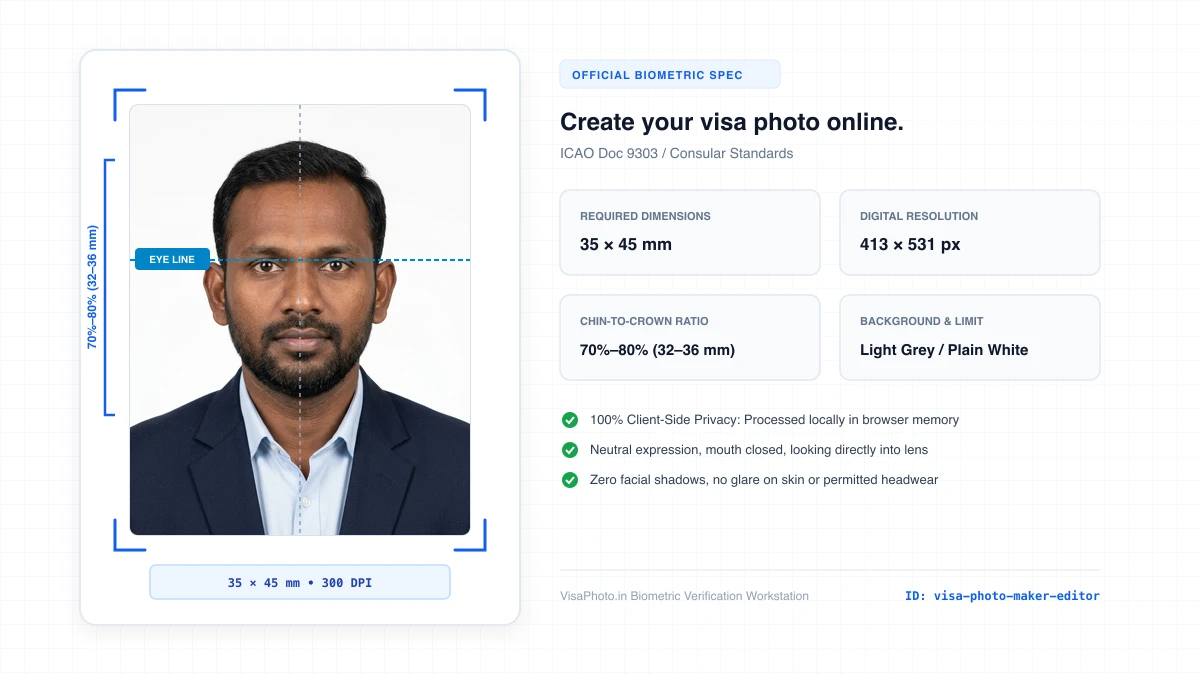
Visa photo creation editor interface with crop guides
Show visual editor with measurement guides
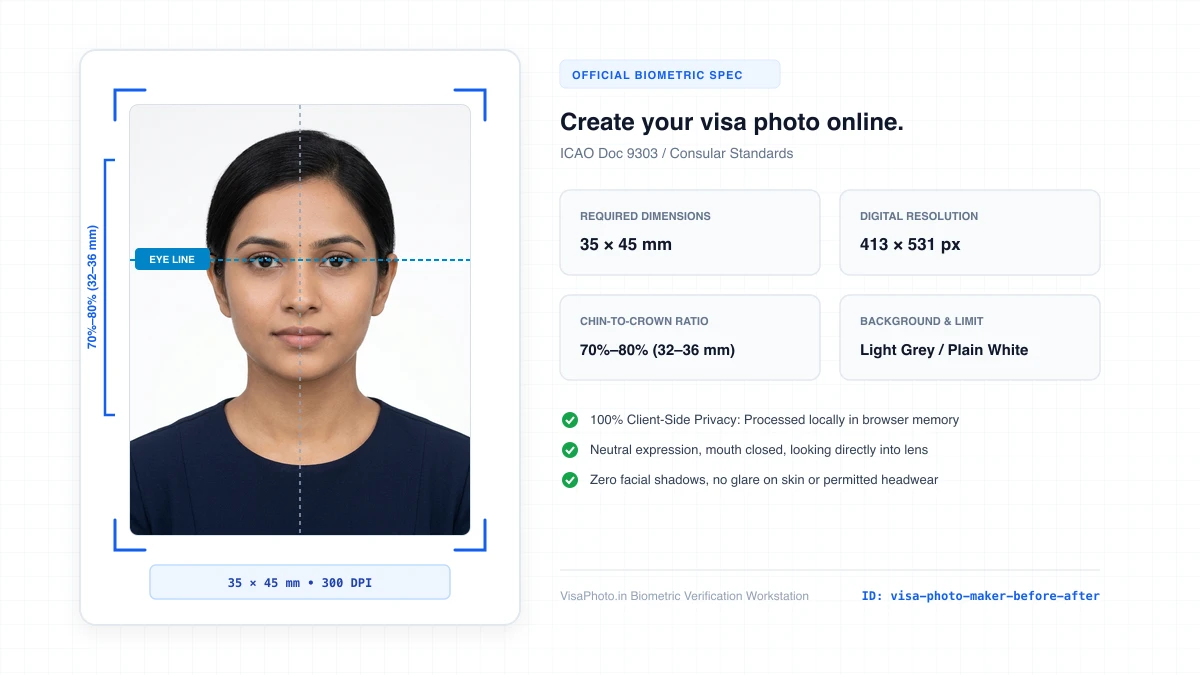
Before and after comparison of mobile portrait transformed to visa photo
Instructional before-after demonstration
Official Government Authority Sources
All requirement specifications are sourced directly from official gazettes and immigration portals.
What Create your visa photo online. Can and Cannot Verify
हमारी तकनीकी गारंटी और निष्पक्ष पारदर्शिता
VisaPhoto.in maintains complete transparency. We ensure your photograph matches published mathematical and optical specifications, but we never make false claims of consular authority.
- ✓Exact Dimensions: सटीक साइज (mm, इंच) और 300 DPI रेजोल्यूशन।
- ✓Target File Limit: 240 KB या 300 KB के अंदर सुरक्षित कंप्रेशन।
- ✓Biometric Ratios: चेहरे (70%–80%) और आंखों की बिल्कुल सही सीध।
- ✓Background Uniformity: बैकग्राउंड का सही रंग (सफेद या हल्का ग्रे)।
- !Visa Approvals: वीजा अप्रूवल का अंतिम निर्णय दूतावास के हाथ में होता है।
- !Photo Recency: फोटो 6 महीने से ज्यादा पुरानी नहीं होनी चाहिए।
- !Physical Identity: फोटो में आवेदक की असली पहचान स्पष्ट होनी चाहिए।
Frequently Asked Questions
अक्सर पूछे जाने वाले सवाल व आधिकारिक जवाब
Related Biometric Tools & Compliance Guides
अन्य उपयोगी वीजा टूल्स व देश गाइड