
Create an India Visa Photo Online
भारतीय पासपोर्ट नवीनीकरण, OCI कार्ड और e-Visa के लिए 100% मान्य 2x2 इंच फोटो घर बैठे बनाएं।
Create a certified photo for your Indian e-Visa or consular visa application in seconds. Take a photo with your phone or upload an existing image; our tool automatically aligns your face to 1:1 square proportions, enforces a plain white background, and compresses your file between 10 KB and 300 KB. [हिन्दी दिशा-निर्देश]: भारतीय दूतावास और वीएफएस (VFS) के लिए 2x2 इंच व ई-वीजा के लिए 350x350 पिक्सेल फोटो बनाएं।
Specialized Indian Visa & OCI Photo Generator
Calibrated to Indian Bureau of Immigration (BoI) and Ministry of External Affairs standards.
Upload your portrait photo
Drag and drop your JPEG or PNG file here, or browse from your device
Official Government Authority Sources
All requirement specifications are sourced directly from official gazettes and immigration portals.
Top 5 Consular Photo Rules • दूतावास रिजेक्शन से बचने के 5 नियम
फोटो खिंचवाते समय चश्मा उतार दें; लेंस की चमक से बायोमेट्रिक स्कैनर फेल होता है।
मुंह पूरी तरह बंद रखें, दोनों होंठ मिले होने चाहिए और चेहरा न्यूट्रल (शांत) रखें।
दीवार से 1.5 मीटर आगे खड़े हों ताकि सिर या कानों के पीछे परछाई न पड़े।
किसी दूसरे व्यक्ति से आंखों की सीध में 1.5 से 2 मीटर दूरी से फोटो खिंचवाएं।
ठुड्डी से सिर तक का हिस्सा सरकारी पैमाने के अनुसार होना अनिवार्य है।
हमारा टूल फोटो को सही पिक्सेल और 300 DPI पर एक्सपोर्ट करता है।
Built Specifically for the Indian Visa Portal
जरूरी दिशा-निर्देश व जानकारी
The Indian e-Visa portal (indianvisaonline.gov.in) has idiosyncratic upload requirements: it only accepts square JPEG files between 350x350 and 1000x1000 pixels weighing between 10 KB and 300 KB. Our India maker pre-configures these constraints so you can never submit an unaccepted file format.
Mobile-Friendly Steps for Indian Applicants
फोटो तैयार करने के आसान कदम
- •1. Snap a portrait in front of any neutral wall with daylight on your face.
- •2. Upload the photo into the India Maker canvas.
- •3. Align your chin and crown inside the Indian biometric oval.
- •4. Click "Apply White Background" to eliminate stray wall shadows.
- •5. Download your certified JPEG, ready to attach to your e-Visa form.
OCI Card & Indian Passport Renewal Support
जरूरी दिशा-निर्देश व जानकारी
If applying for an Overseas Citizen of India (OCI) card or renewing an Indian passport through VFS in the US, UK, Canada, or Australia, toggle the mode to "Regular Visa / OCI (2x2 inch print)" to generate a printable 4x6 inch sheet with 6 high-resolution physical photos.
Calibrating Resolution & 1:1 Aspect Ratio for Indian Portals
जरूरी दिशा-निर्देश व जानकारी
The Government of India e-Visa upload server (indianvisaonline.gov.in) executes strict mathematical verification on incoming JPEG streams. If an applicant uploads a smartphone portrait with an uneven bounding box, the portal returns an error and aborts the application. Our specialized Indian e-Visa maker enforces exact 1:1 square geometry at 300 DPI, embedding an sRGB profile and outputting clean files under the 300 KB limit.
Visual Biometric Composition & Schematics
बायोमेट्रिक फ्रेमिंग गाइड व तकनीकी निरीक्षण
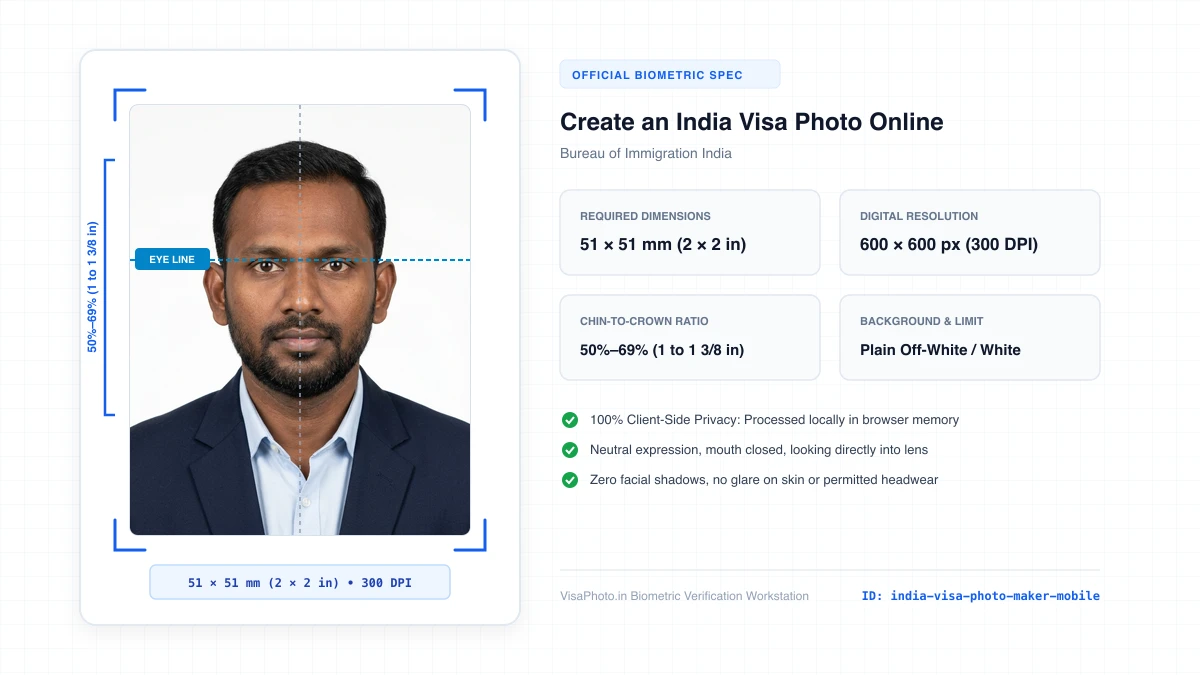
Mobile-first Indian visa photo creation interface
Smartphone creation interface visualization
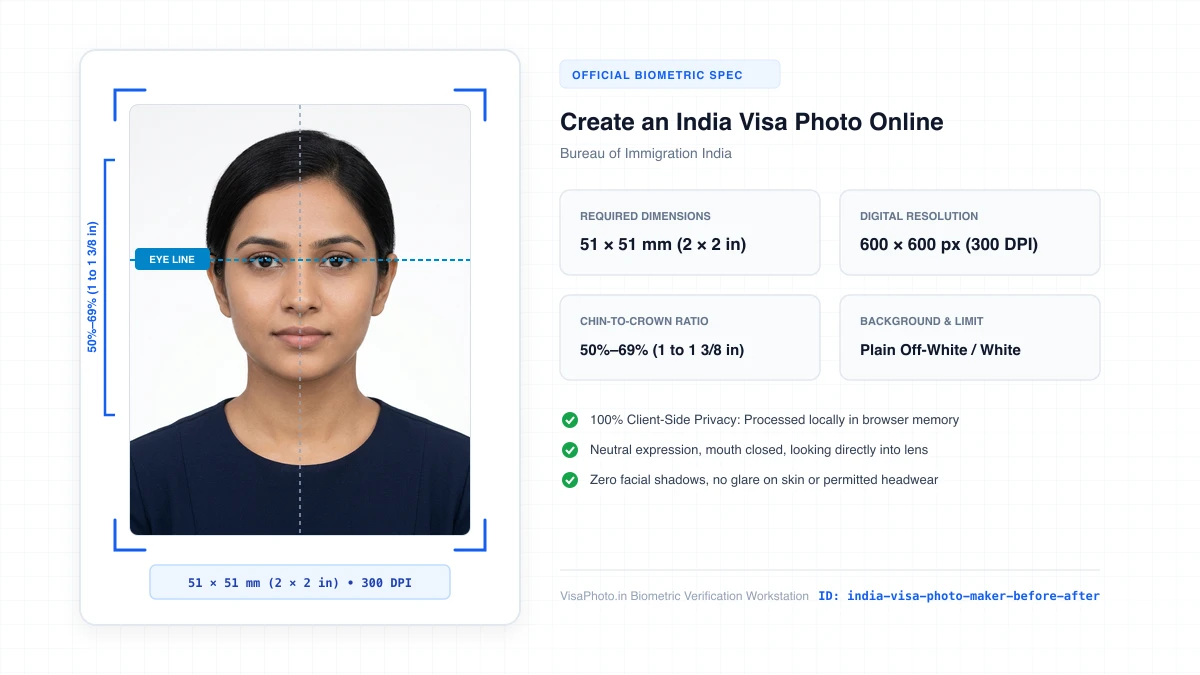
Before and after transformation of phone photo to Indian e-Visa photo
Instructional transformation comparison
Official Government Authority Sources
All requirement specifications are sourced directly from official gazettes and immigration portals.
What Create an India Visa Photo Online Can and Cannot Verify
हमारी तकनीकी गारंटी और निष्पक्ष पारदर्शिता
VisaPhoto.in maintains complete transparency. We ensure your photograph matches published mathematical and optical specifications, but we never make false claims of consular authority.
- ✓Exact Dimensions: सटीक साइज (mm, इंच) और 300 DPI रेजोल्यूशन।
- ✓Target File Limit: 240 KB या 300 KB के अंदर सुरक्षित कंप्रेशन।
- ✓Biometric Ratios: चेहरे (70%–80%) और आंखों की बिल्कुल सही सीध।
- ✓Background Uniformity: बैकग्राउंड का सही रंग (सफेद या हल्का ग्रे)।
- !Visa Approvals: वीजा अप्रूवल का अंतिम निर्णय दूतावास के हाथ में होता है।
- !Photo Recency: फोटो 6 महीने से ज्यादा पुरानी नहीं होनी चाहिए।
- !Physical Identity: फोटो में आवेदक की असली पहचान स्पष्ट होनी चाहिए।
Frequently Asked Questions
अक्सर पूछे जाने वाले सवाल व आधिकारिक जवाब
Related Biometric Tools & Compliance Guides
अन्य उपयोगी वीजा टूल्स व देश गाइड